

Buy&Ship を利用してアメリカの Amazon でお買い物をする際は、事前に Buy&Ship アメリカ倉庫の住所に対して以下の Amazon アカウント設定を済ませておくことをおすすめします。Amazon の配達を営業時間内に限定することで、一部の配達員が営業時間外に荷物をドアの前に置いていってしまうトラブルを防ぎ、荷物を確実にアメリカ倉庫へ届け、スムーズにお手元まで転送できます!
💡 この記事のポイント:
・事前に設定済みの方:下記の手順に沿って Amazon の「Account settings」で「営業時間内の配達指示」を設定済みであれば、購入手続き時に自動で適用されるため、再入力は不要です。
・まだ設定していない方:購入手続き画面の上部にある「Add delivery instructions」をクリックし、下記の Step 4〜Step 6 に沿って配達指示を入力してください。
Amazon アメリカ倉庫住所に「営業時間内の配達指示」を設定する方法
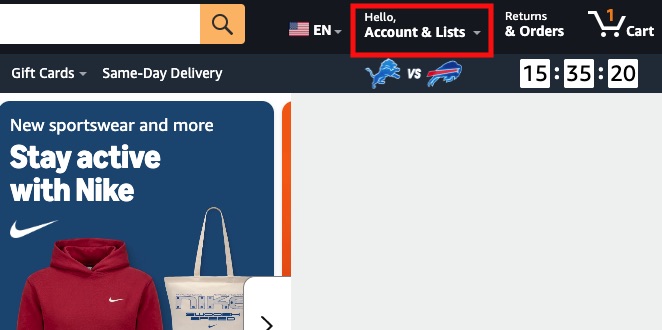
Step 1:Amazon US にアクセスしてログインし、右上の Account & Lists をクリック
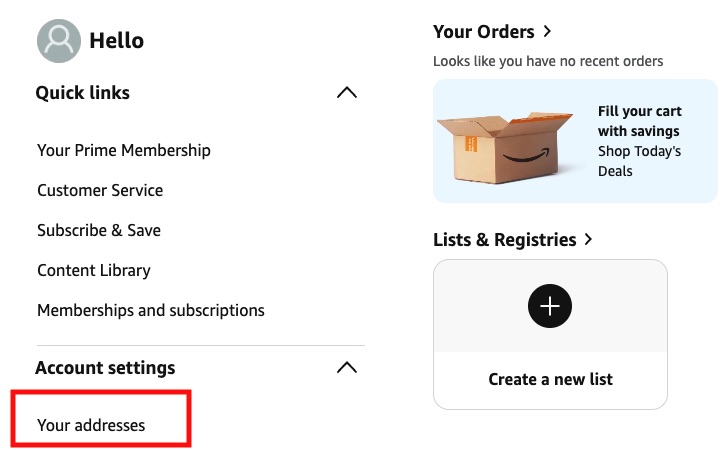
Step 2:Account settings をクリックし、Your addresses をクリック
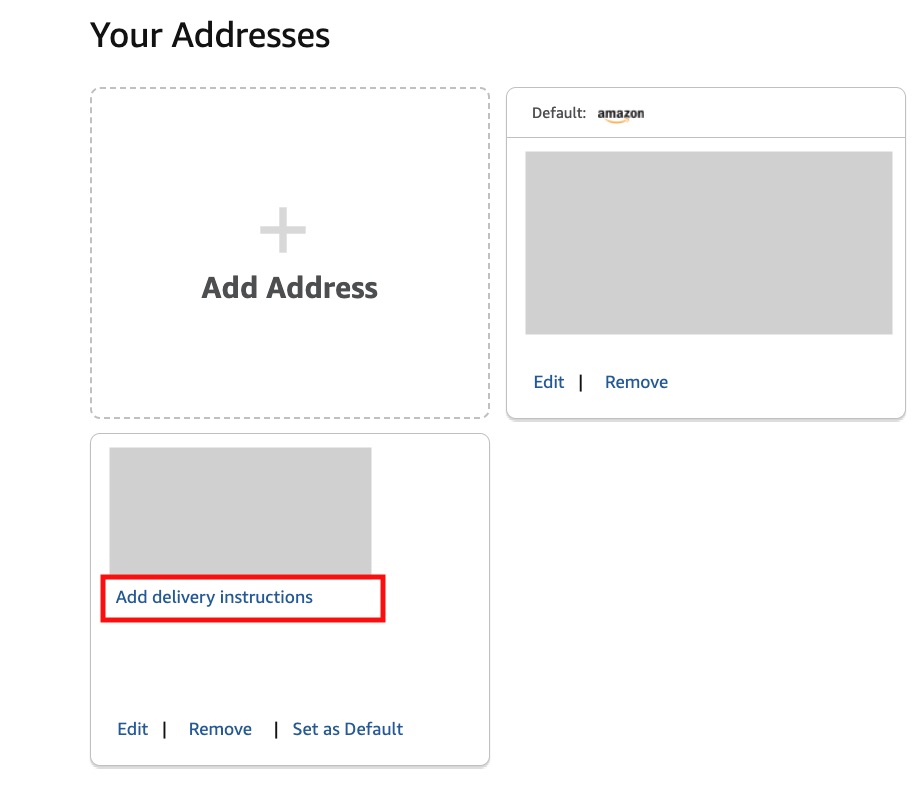
Step 3:Your addresses を開き、アメリカポートランド倉庫(免税)を入力してから、Add delivery instructions をクリック
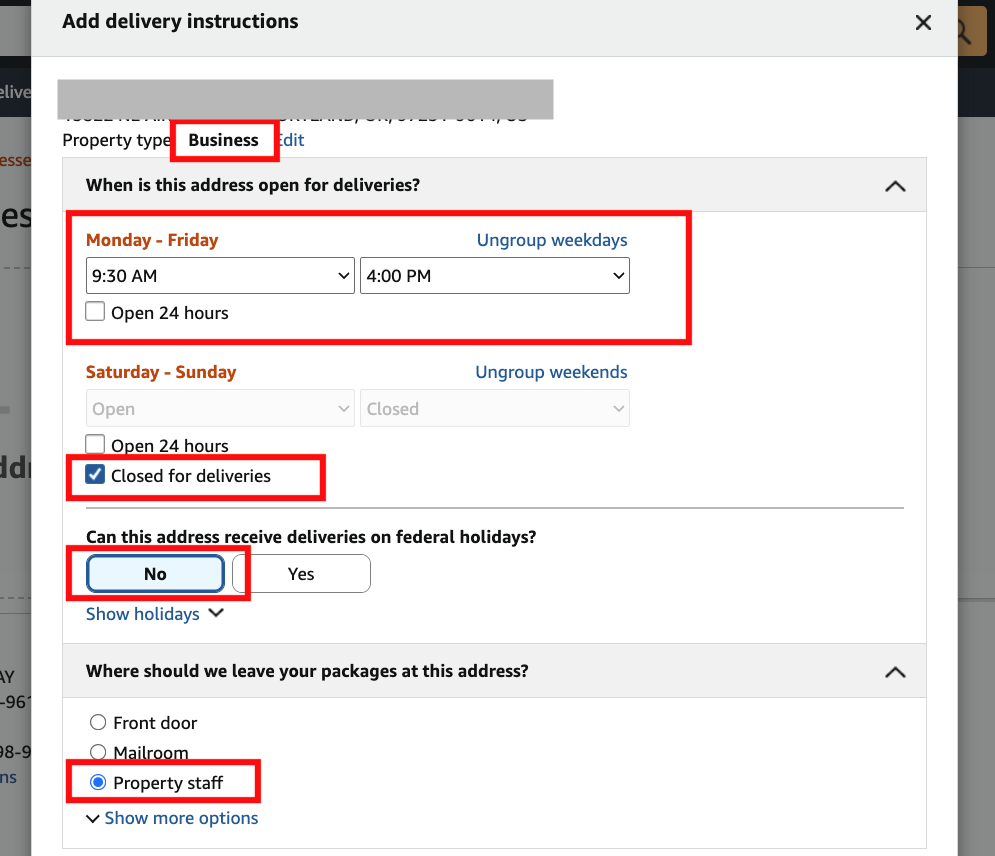
Step 4:Add delivery instructions をクリックすると設定画面が表示されます。以下のとおり一つずつ入力してください:
- Property type:「Business」を選択
- When is this address open for deliveries?:Monday – Friday は「9:30 AM〜4:00 PM」、Saturday – Sunday は「Closed for deliveries」を選択
- Can this address receive deliveries on federal holidays?:「No」を選択
- Where should we leave your packages at this address?:「Property staff」を選択(この選択肢が表示されていない場合は、Show more options をクリックして展開してください)
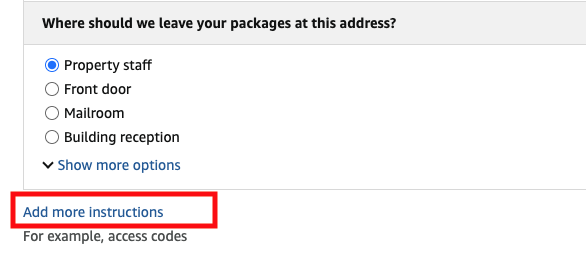
Step 5:Add more instructions をクリック
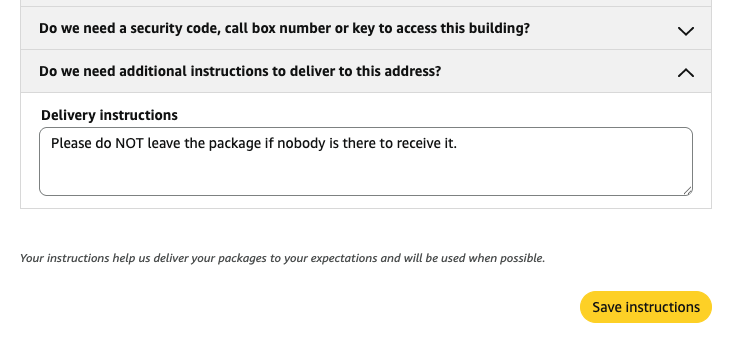
Step 6:Do we need additional instructions to deliver to this address? をクリックし、Delivery instructions 欄に次の文を貼り付けます:Please do NOT leave the package if nobody is there to receive it.
最後に「Save instructions」をクリックして変更を保存すれば、あとは安心してお買い物を楽しめます。
購入手続き:荷物を確実に届けるためのポイント
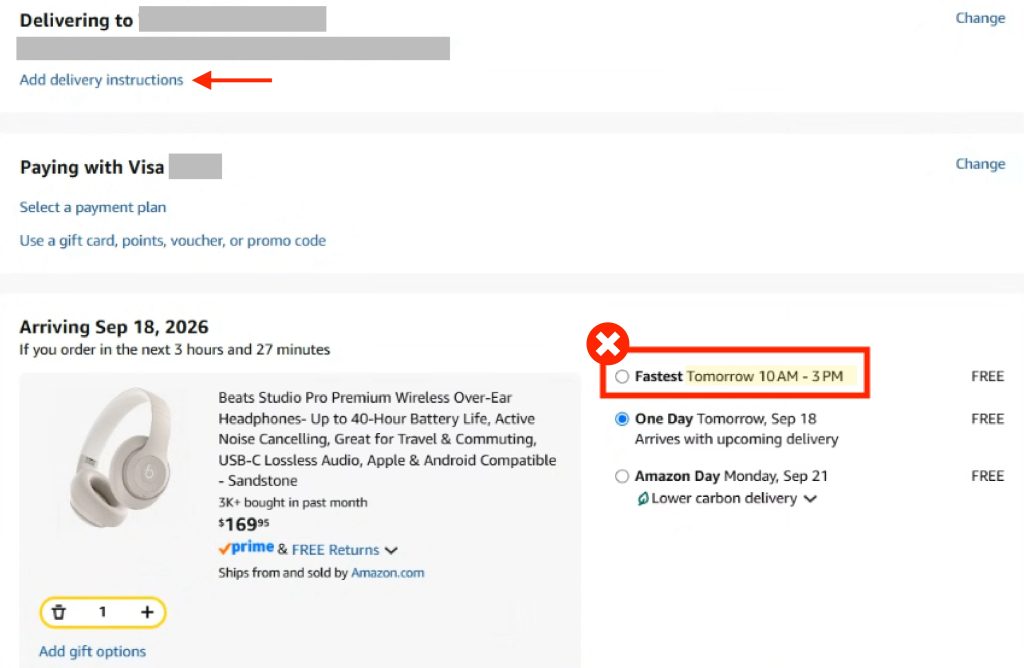
購入手続き画面に進むと、ページ上部に「Add delivery instructions」が表示されますが、上記の手順で設定済みであれば、ここで再入力する必要はありません。
ページ下部に赤枠内のような配達時間指定のオプション(特定の時間が表示された「Fastest」など)が表示された場合は、赤枠以外の「配達時間の指定なし」のオプションを選択することをおすすめします。選択が完了したらお支払いを済ませ、荷物の到着をお待ちください。